
UR PDF Conversion · In Development
Review Before You Convert
Load mixed source files, inspect each document in the ListPreview workspace, select exactly what should be converted, and create individual PDFs or one combined document.
A Guided PDF Workflow
Review Before You Convert
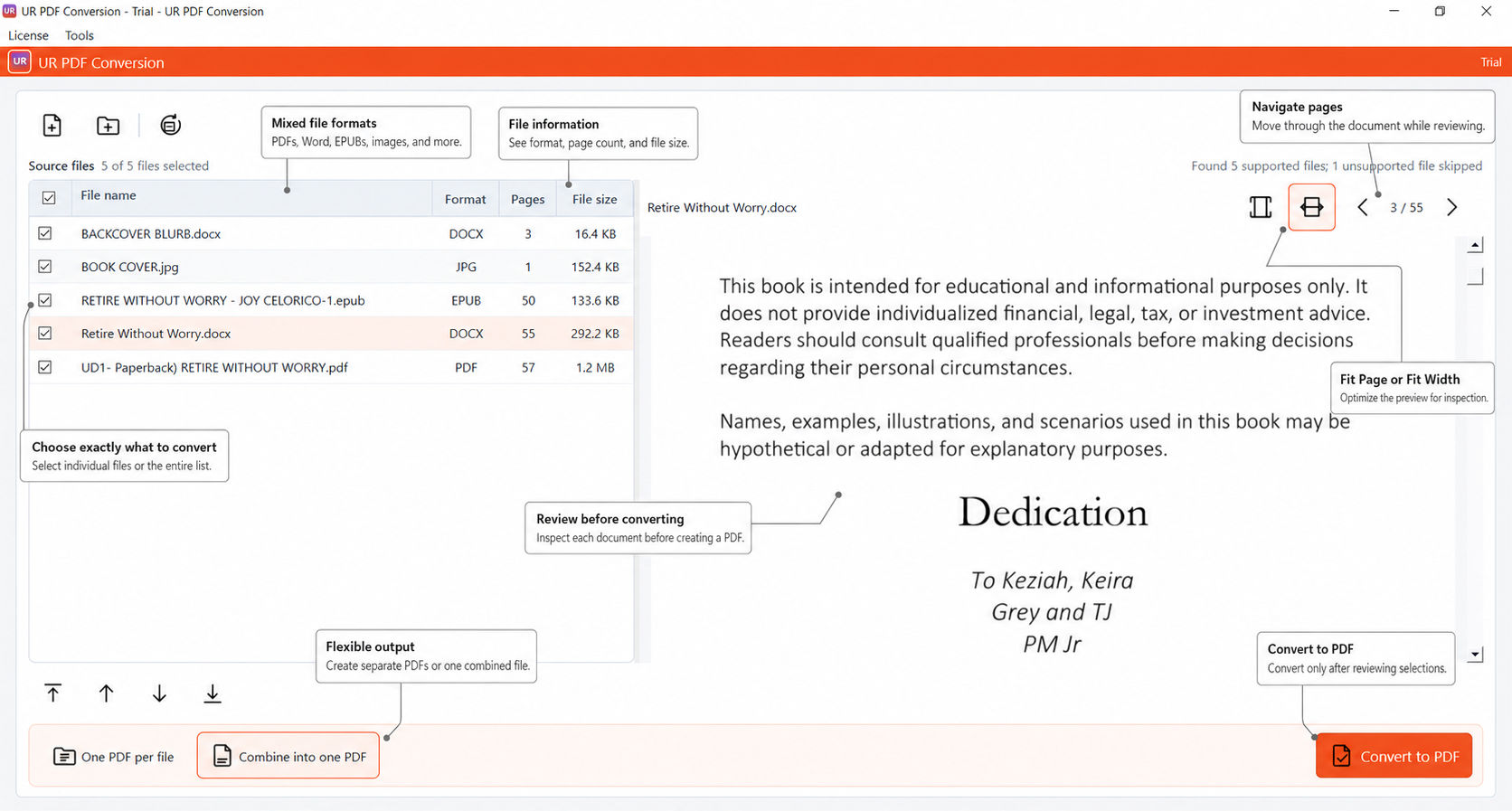
Load mixed document types, inspect every file, and create exactly the PDF output you want—all from one workspace.
-
Mixed Source Files
Load PDFs, Word documents, EPUBs, images, and other supported formats into one conversion session.
-
File Information
See each file’s format, page count, and size before deciding what belongs in the output.
-
Smart Selection
Use the centered checkboxes to convert individual files or select the complete source list.
-
Document Preview
Review each selected document without opening another application or interrupting the workflow.
-
Page Navigation
Move through multi-page documents and confirm the content you intend to convert.
-
Fit Controls
Switch between Fit Page and Fit Width for faster, more comfortable document inspection.
-
One PDF or Combined PDF
Create one PDF per source file or combine every selected item into a single PDF.
-
Convert to PDF
Generate PDFs only after you have reviewed the source files and confirmed your selections.
- Load
- Review
- Select
- Convert
- Open PDF
Review the result before saving
After conversion, review the resulting PDF and make supported page adjustments before completing the workflow.
- Combine several selected files into one PDF
- Create separate PDFs when that better fits the task
- Review converted pages before final output
- Rearrange, rotate, remove, or extract supported pages
In Development: UR PDF Conversion is not yet available for download.